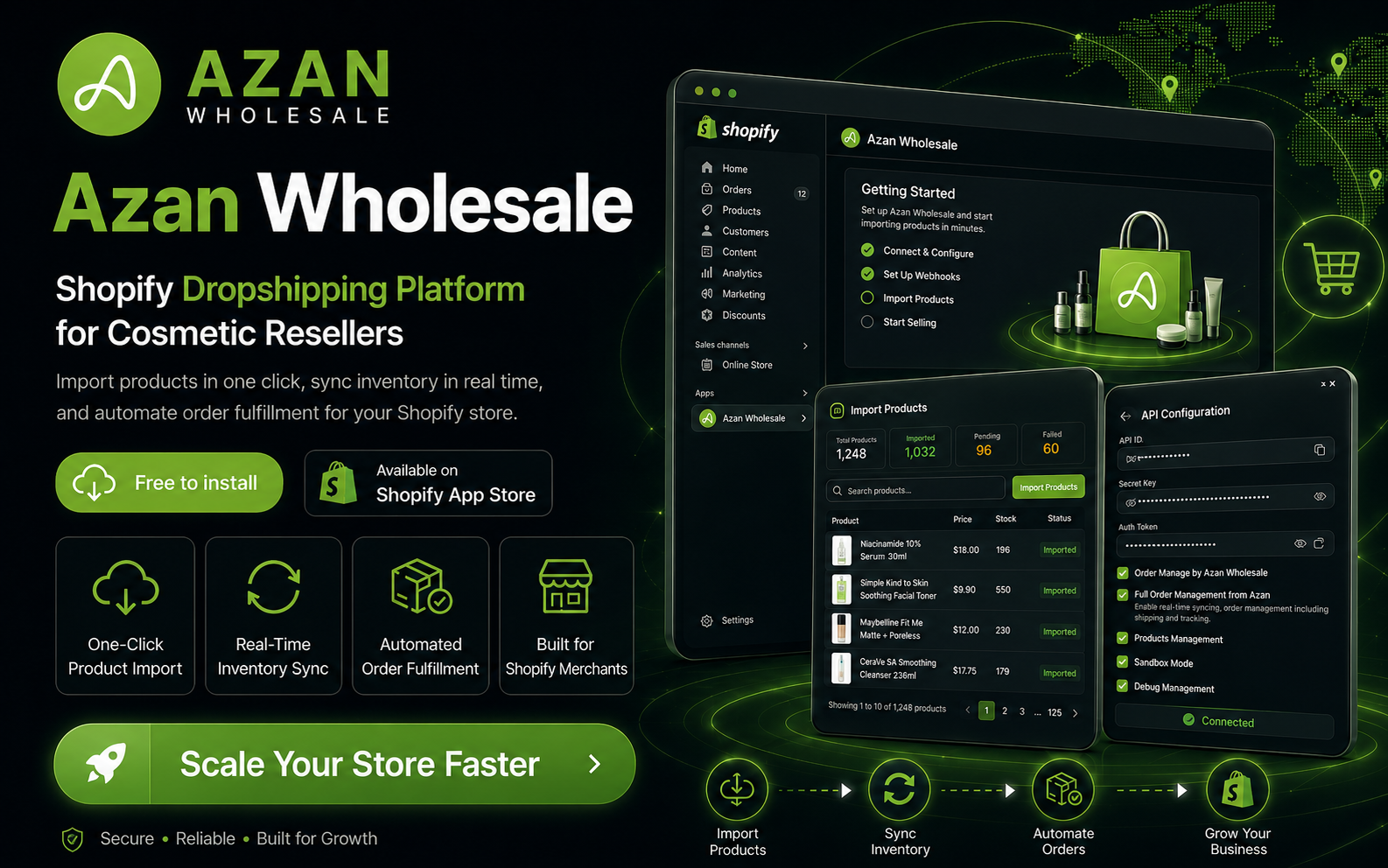
After working on the Azan Wholesale reseller ecosystem, I noticed another important problem. Many resellers wanted to sell Azan Wholesale products through their own Shopify stores — but managing products manually created too much work. This workflow was slow, repetitive and vulnerable to human error. So I built the Azan Wholesale Shopify App.
The Problem
Our resellers wanted to focus on marketing and selling products — not continuously managing product information. The existing process created several challenges: product information had to be added manually, stock could become outdated without the reseller noticing, customers could order products that were no longer available, price changes needed to be updated across multiple stores, and order information had to be transferred manually.
The real problem was not only product importing. The bigger problem was keeping two different systems synchronized. I needed to create a reliable connection between the reseller's Shopify store and the Azan Wholesale platform.
The Product Idea
The idea was to make dropshipping easier for Azan Wholesale resellers. After installing the app, a merchant should be able to connect their Shopify store with Azan Wholesale, explore available products and import selected products directly into their store.
After importing a product, the connection should continue working in the background. When product inventory or pricing changes in Azan Wholesale, the Shopify product should receive the latest information. When a customer places an order through Shopify, the order should be sent to Azan Wholesale for fulfilment.
The reseller manages the storefront and customer relationship. Azan Wholesale manages product availability, order processing and delivery. The published application now supports one-click product importing, real-time inventory synchronization and automated order fulfilment for cosmetic resellers.
Understanding the Complete Workflow
Before building the Shopify app, I had already worked on the Azan Wholesale website, reseller panel, APIs and product system. This experience gave me an important advantage — I understood how products were structured, how variants and inventory were managed, how resellers operated their stores and how orders moved through the Azan Wholesale system.
However, understanding our own platform was only one part of the project. I also needed to understand how Shopify manages app installation and authentication, store access permissions, products and variants, inventory locations, orders and webhooks, fulfilment orders, and app review requirements.
My main responsibility was to make these two systems communicate without making the process complicated for the merchant.
How the Application Works
The merchant begins by installing the application from the Shopify App Store. The application then securely connects the merchant's Shopify store with the Azan Wholesale platform.
From the app, the reseller can select a product and import it into Shopify. The app creates the product with its relevant information, including the title, description, images, pricing, variants and inventory data. However, importing the product is only the beginning.
The application keeps a relationship between the Shopify product and the original Azan Wholesale product. This allows the system to recognize which products need to be updated when stock or other product information changes.
When an order is placed, the application receives the order information and connects it with the Azan Wholesale fulfilment process. This reduces manual work and allows the reseller to run a more scalable dropshipping business.
Building Real-Time Inventory Synchronization
Inventory synchronization was one of the most important parts of the application. Without accurate stock information, a reseller could sell a product that was already unavailable — creating cancelled orders, unhappy customers and additional support work.
I created a synchronization process that connects the inventory information between Azan Wholesale and Shopify. When stock changes in the main product system, the connected Shopify products can be updated automatically.
While building this feature, I had to carefully map products, variants, inventory items and Shopify locations. A product could contain multiple variants, and every variant needed to remain connected to the correct inventory record.
Synchronization is not only about sending data from one API to another. The system must know exactly which records are connected and what should happen when something changes.
Automating the Order and Fulfilment Process
The next major challenge was order fulfilment. When a customer purchases an imported product, the reseller should not need to manually recreate the order inside another platform.
The application needed to capture the Shopify order, identify the Azan Wholesale products and send the required information to the fulfilment system. Shopify also has a structured fulfilment-order workflow — the app needed the correct permissions and fulfilment logic so merchants could request fulfilment properly from their Shopify admin.
During the Shopify review process, I received feedback related to fulfilment permissions, fulfilment requests and how the app handled the merchant's Request Fulfilment action. I reviewed Shopify's fulfilment architecture, updated the required access scopes and improved the fulfilment-request process.
The Shopify App Review Journey
Building the application was only one part of the work. Publishing it on the Shopify App Store introduced a completely different set of challenges. Shopify reviewed the full merchant experience — installation and authentication, permission requirements, pricing information, product importing, inventory synchronization, fulfilment behavior, data access and privacy, and app errors.
Some parts of the application did not pass during the first review. At different stages, I received feedback about fulfilment behavior, permission scopes, pricing explanations and an internal server error after installation. Each review helped me identify something that needed to be clearer or more reliable.
I reproduced the issues, reviewed the app logs, updated the workflow and communicated with the Shopify review team. This process taught me that a marketplace application must work outside the developer's controlled environment. Installation, onboarding, permissions and error handling are all parts of the product experience.
Designing for Trust
The application handles important business information — products, orders, customers and fulfilment data. Because of this, merchants need to understand why the application requires access to their store.
I tried to make the onboarding and configuration process clear instead of presenting merchants with technical information they might not understand. I also added activity logs so merchants and administrators could understand whether products were imported, synchronized or processed successfully.
For a system that performs background automation, visibility is important. Users need confidence that the system is working, even when they are not manually performing every action.
What I Learned
This project taught me that automation is not only about reducing clicks. Good automation removes repetitive work while still giving users visibility and control.
I also learned that third-party platform development requires a different mindset. I had to build according to Shopify's APIs, permissions, review standards and fulfilment architecture while still supporting Azan Wholesale's business requirements.
The most important lesson was that building the feature is not the end of the work. The feature must survive installation, different store configurations, API failures, missing permissions, review testing and real merchant usage.
My role included more than developing the application — I worked on identifying the reseller workflow problem, planning the Shopify integration, designing the app experience, connecting Shopify with the Azan Wholesale APIs, implementing product importing, building stock and price synchronization, handling order and fulfilment workflows, managing permissions and webhooks, debugging installation and production issues, responding to Shopify review feedback, and preparing and publishing the app listing.
This project helped me understand Product Engineering at an ecosystem level. I was not building an isolated interface. I was building a bridge between suppliers, resellers, Shopify stores, customers and the fulfilment operation.
Good automation removes repetitive work while still giving users visibility and control.
The Azan Wholesale Shopify App is now publicly available on the Shopify App Store. It allows cosmetic resellers to import products, receive inventory updates and connect their orders with Azan Wholesale fulfilment. More importantly, it transforms a manual reseller workflow into a connected system. Before the app, resellers had to manage products, stock and orders between separate platforms. With the app, many of those repetitive tasks happen automatically — helping resellers spend less time managing systems and more time growing their businesses.